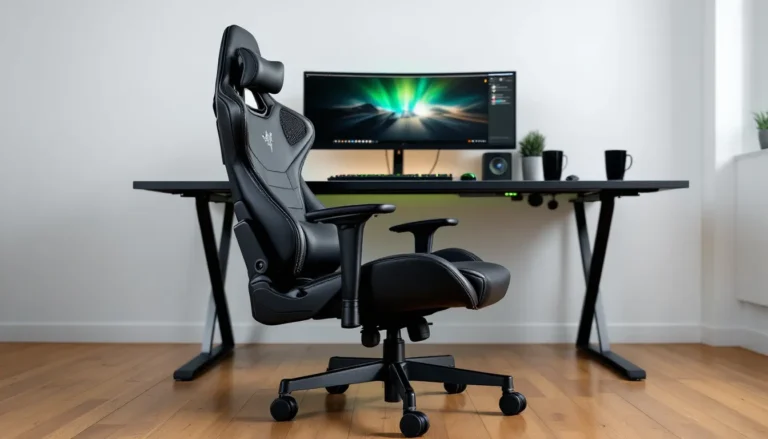

The gaming chair market has dominated the conversation for years, but a growing number of players are ditching the bucket-seat aesthetic for something radically different: the gaming stool. Whether you’re grinding ranked matches, streaming eight-hour sessions, or just trying to reclaim desk space in a cramped apartment, gaming stools offer a compelling alternative that prioritizes mobility, posture, and versatility over the traditional “racing chair” formula.
But here’s the catch, not all gaming stools are created equal. Some are glorified bar stools with a swivel base, while others incorporate genuine ergonomic design that can transform how you sit during extended play. This guide breaks down everything you need to know about gaming stools in 2026, from core benefits and feature sets to choosing the right model for your setup and body type.
Key Takeaways
- Gaming stools promote active sitting and better posture by engaging core muscles, making them an ideal alternative to traditional gaming chairs for competitive players and space-conscious gamers.
- A gaming stool typically occupies 15-18 inches of width, compared to 25-30 inches for a standard gaming chair, making them perfect for apartment gamers, dorm setups, and hybrid work-from-home gaming spaces.
- Height adjustability of at least 4-6 inches is essential—aim for a stool that positions your elbows at keyboard level with your knees at a 90-100 degree angle and your hips level with or slightly higher than your knees.
- Choose between backless, low-back, or saddle-style gaming stools based on your gaming habits: backless for intense, upright sessions; low-back for versatility; and saddle-style for forward-leaning competitive players.
- Prioritize stools with high-density foam padding, a stable 5-star base with Class 4 gas lift certification, and weight capacity ratings with a safety margin above your body weight to ensure durability and safety.
- Allow a 1-2 week adjustment period for your core and stabilizing muscles to adapt to active sitting, and take standing breaks every 60-90 minutes to maintain circulation and prevent fatigue, even with a gaming stool’s ergonomic benefits.
What Is a Gaming Stool and Why Do Gamers Choose Them?
A gaming stool is a compact, often backless or low-back seating option designed for active sitting during gaming sessions. Unlike traditional gaming chairs with high backs, headrests, and armrests, gaming stools strip away the bulk to focus on core support, height adjustability, and freedom of movement.
Gamers choose stools for several reasons. First, they encourage better posture by forcing the core muscles to engage rather than relying on passive lumbar support. Second, they take up significantly less physical and visual space, a huge win for smaller setups or multi-purpose rooms. Third, they’re platform-agnostic: whether you’re playing on PC, console, or even racing sims, a stool adapts more naturally than a chair locked into a single orientation.
The rise of streaming culture and hybrid work-gaming setups has also fueled demand. A stool fits seamlessly into environments where a bulky gaming chair would clash with the aesthetic or workflow. It’s not about replacing the gaming chair entirely, it’s about offering a legitimate alternative for players who value mobility, minimalism, and active ergonomics.
Gaming Stool vs. Gaming Chair: Which One Is Right for You?
Key Differences in Design and Functionality
Gaming chairs are built around passive support: high backs, adjustable armrests, reclining mechanisms, and thick padding. They’re designed to cradle your body during long sessions, which works well for stationary gameplay like MOBAs, strategy games, or single-player campaigns.
Gaming stools, by contrast, promote active sitting. Your core stays engaged, your hips remain mobile, and you can shift positions without fighting against a rigid frame. This design philosophy suits players who frequently lean forward (competitive FPS players, for example) or who switch between keyboard-and-mouse and controller setups throughout the day.
The tradeoff is obvious: stools offer less passive comfort. If you’re nursing a back injury or prefer to lean back during cutscenes, a stool won’t provide the same cradling effect. But for players who stay alert and upright, stools can actually reduce fatigue by distributing effort across stabilizing muscles rather than creating pressure points.
Space-Saving Benefits for Smaller Gaming Setups
In 2026, urban gaming setups are tighter than ever. A standard gaming chair occupies roughly 25-30 inches of width and depth, plus clearance for armrests and recline. A gaming stool? Typically 15-18 inches, with zero recline footprint.
This makes stools ideal for apartment gamers, dorm setups, or anyone running a hybrid work-from-home and gaming station. You can tuck a stool under the desk completely when not in use, freeing up floor space for VR play areas, exercise equipment, or just walking room. For streamers concerned about camera framing and backdrop aesthetics, a low-profile stool keeps the visual focus on the screen and peripherals rather than a towering chair back.
Top Benefits of Using a Gaming Stool
Improved Posture and Active Sitting
Active sitting forces your body to maintain balance and alignment without relying on external support. Gaming stools encourage a neutral spine position, reducing the tendency to slouch or hunch forward during intense matches. Over time, this can strengthen core muscles and improve overall posture even outside of gaming sessions.
Many ergonomic gaming stools incorporate a slight forward tilt or saddle-style seat that naturally opens the hip angle to around 135 degrees, closer to a standing posture than traditional 90-degree sitting. This reduces compression on the lower spine and can alleviate discomfort for players who experience lower back pain from prolonged chair use.
Enhanced Mobility and Flexibility
Gaming stools excel in setups that demand frequent repositioning. If you’re switching between a primary monitor for competitive play and a secondary screen for streams or guides, a stool’s 360-degree swivel and lack of armrests make transitions seamless.
For sim racers, a stool can double as a temporary seat for non-racing games without the ergonomic mismatch of sitting in a racing rig. For console players who use a desk-mounted monitor but occasionally shift to a TV, a stool’s portability (many weigh under 20 pounds) makes it easy to relocate.
Versatility Across Gaming Platforms
Unlike gaming chairs optimized for desk height and keyboard-mouse posture, gaming stools adapt naturally to multiple platforms. PC gamers benefit from the upright posture and desk clearance. Console players using a desk setup get the same mobility without fighting armrests. Even VR enthusiasts find stools useful for seated VR experiences where a full chair’s bulk and back create tracking occlusion.
Some players keep a stool as a secondary seat for guests during couch co-op sessions or local tournaments. The lack of a fixed armrest height means it works with a wider range of desk and table configurations than a traditional chair.
Essential Features to Look for in a Gaming Stool
Height Adjustability and Ergonomic Support
Height adjustability is non-negotiable. Look for stools with pneumatic gas lift mechanisms that offer at least 4-6 inches of range. Most gaming stools in 2026 cover a height range from approximately 21 to 28 inches, accommodating desk heights from 28 to 32 inches.
Ergonomic support varies widely. Backless models rely entirely on seat contour and tilt to promote posture. Low-back models offer a small lumbar pad or backrest that supports without restricting movement. Check for seats with a waterfall edge (a slight downward curve at the front) to reduce pressure on the thighs and improve circulation during marathon sessions.
Padding, Cushioning, and Seat Material
Padding thickness matters less than density and contouring. High-density foam (2.0-2.5 lbs/cubic foot) maintains shape and support over thousands of hours, while cheaper low-density foam compresses within months. Some premium stools use memory foam or gel-infused padding for better pressure distribution.
Seat materials break down into three categories:
- Mesh: Breathable, reduces heat buildup, ideal for warm climates or intense sessions. Less padding support.
- Leatherette/PU leather: Easy to clean, matches gaming chair aesthetics, but can get hot and sticky.
- Fabric: Best balance of breathability and comfort, though harder to clean spills.
Consider your climate and sweat tolerance. High-level hardware reviews on PCMag often note breathability as a key comfort factor for extended use.
Base Stability and Swivel Functionality
A stable base is critical for safety and comfort. Most gaming stools use a 5-star base (five legs radiating from the center) for maximum stability. Cheaper models use 4-star or even tripod bases, which can tip during aggressive leaning or quick repositioning.
Swivel functionality should be smooth but not loose. A stool that spins too freely can cause motion sickness during long sessions, while one that’s too stiff defeats the purpose of mobility. Look for models with adjustable swivel tension if you’re sensitive to this.
Casters (wheels) vs. glides (stationary feet) is another decision point. Casters offer mobility but can damage soft floors or roll unexpectedly. Glides provide stability but require lifting to reposition. Some stools ship with both options.
Weight Capacity and Build Quality
Most gaming stools are rated between 220-300 lbs, but premium models extend to 350+ lbs. Don’t just match your body weight, consider dynamic loading from movement and the long-term stress on hydraulic cylinders and bases.
Build quality indicators include:
- Steel vs. plastic components: Steel frames and bases outlast plastic.
- Class 4 gas lift certification: Ensures the hydraulic cylinder won’t catastrophically fail.
- Reinforced stitching: Prevents upholstery separation at stress points.
Warranty length is a decent proxy for build confidence. Brands offering 3+ year warranties typically use better components than those with 90-day coverage.
Different Types of Gaming Stools Explained
Saddle-Style Gaming Stools
Saddle-style stools feature a split or contoured seat that mimics a bike or horse saddle. The design encourages your thighs to angle downward at roughly 45 degrees, opening the hip angle and promoting an upright spine position.
These work exceptionally well for players who lean forward naturally, competitive FPS gamers, RTS players, and anyone who needs aggressive mouse control. The saddle shape also distributes weight across the sit bones more evenly than flat seats, reducing pressure points.
Downsides? They take adjustment. Expect a week or two of muscle soreness as your core and hip stabilizers adapt. They’re also less comfortable for relaxed, lean-back gaming sessions.
Backless Ergonomic Stools
Backless stools are the purest expression of active sitting. With zero back support, your core does all the postural work. These are often the most compact and affordable option, and they force excellent posture, because slouching becomes immediately uncomfortable.
Backless stools suit players with strong core strength, those transitioning from standing desks, or anyone who wants to build better posture habits. They’re terrible for long, passive sessions (watching cutscenes, grinding low-intensity content) where you want to occasionally relax.
Many backless designs incorporate a slight seat tilt or wobble mechanism to further engage stabilizing muscles and prevent static posture.
Low-Back and Half-Back Gaming Stools
Low-back stools add a small backrest that supports the lumbar region without extending to the shoulder blades. This hybrid approach offers a rest point for your lower back during breaks without eliminating the active sitting benefits.
Half-back models are ideal for players transitioning from traditional chairs or those who want flexibility to alternate between active and passive sitting. The backrest height typically ranges from 6-12 inches, just enough to cue spinal alignment without creating a lean-back temptation.
These are the most versatile type for mixed gaming habits, competitive matches where you stay upright, casual sessions where you occasionally relax, and work-from-home use where you might take video calls.
How to Choose the Right Gaming Stool for Your Setup
Assess Your Desk Height and Gaming Platform
Measure your desk height from the floor to the underside of the desktop. Standard desks sit at 28-30 inches. Your stool’s seat height should position your elbows at roughly 90 degrees when your hands are on the keyboard or controller.
For a 29-inch desk, a stool adjustable from 21-26 inches typically works for users between 5’4″ and 6’2″. If you’re using a standing desk converter or adjustable desk, ensure your stool’s range covers the full height variation you use.
Platform matters too. PC gamers at fixed desks can optimize for a single position. Console players using a desk but occasionally shifting to a couch setup should prioritize lightweight models with easy height adjustment. Sim racers might want a stool that doubles for non-racing games, which typically means avoiding saddle styles in favor of flat or lightly contoured seats.
Consider Your Gaming Session Length and Habits
Be honest about your typical session length and intensity. Competitive players running 2-4 hour ranked grinds with high focus can benefit from the active engagement of backless or saddle stools. Casual players who mix gaming with watching streams, chatting, or grinding low-intensity content might find a low-back stool more sustainable.
Your posture tendencies matter. If you naturally lean forward during intense moments, a stool reinforces that position. If you lean back to think or relax between rounds, a backless stool will frustrate you. Some gamers keep both a stool and a chair, switching based on the game or mood, stools for competitive sessions, chairs for story-driven or relaxed play.
Hardware configurations also play a role, as noted in many gaming laptop reviews where desk height and peripheral placement impact seating choice.
Match Your Stool to Your Body Type and Posture Needs
Body proportions affect stool comfort significantly. Taller players (6’2″+) should verify maximum seat height and ensure the base diameter provides adequate stability at full extension. Shorter players (under 5’6″) need stools that adjust low enough to prevent dangling feet, which kills circulation and creates lower back strain.
Seat width and depth matter for larger frames. Most gaming stools range from 13-16 inches in diameter. If you’re broad-shouldered or have wider hips, look for 15″+ seats and verify weight capacity includes a safety margin.
Existing back issues require careful evaluation. Active sitting can strengthen your back over time, but if you’re dealing with acute pain or injury, consult a physical therapist before committing to a backless design. Low-back stools offer a safer middle ground during recovery.
Setting Up and Using Your Gaming Stool for Maximum Comfort
Proper Height Adjustment for Optimal Ergonomics
Start with your feet flat on the floor and your thighs roughly parallel to the ground. Your knees should form a 90-100 degree angle. Adjust the stool height so your elbows rest at keyboard/mouse level with your shoulders relaxed, not hunched up or hanging down.
For saddle-style stools, you’ll sit slightly higher than a traditional chair, with your thighs angled downward. This is correct, it opens the hip angle and promotes an upright spine. Don’t lower the seat trying to achieve parallel thighs: that defeats the design.
Monitor height is equally critical. The top of your screen should sit at or slightly below eye level when you’re sitting upright. If you’re craning your neck up or down, adjust the monitor rather than changing your stool height to compensate. Many ergonomic setup guides on How-To Geek emphasize the monitor-seat-desk triangle as the foundation of comfort.
Test your setup with a 15-minute gaming session before committing. Small adjustments (even half an inch) can dramatically affect comfort over hours.
Maintaining Healthy Posture While Gaming
Active sitting works because it requires constant micro-adjustments. Don’t try to lock into a single “perfect” position for hours. Instead, shift your weight, rotate your hips slightly, and adjust your leg positioning every 15-20 minutes.
Core engagement should feel like a gentle activation, not a plank hold. If your abs are burning after 30 minutes, you’re overworking. Relax slightly and let your skeleton carry more load, the stool should cue alignment, not force it.
Take standing breaks every 60-90 minutes. Even with active sitting, prolonged sitting still reduces circulation and creates muscle fatigue. Stand, walk around your room, or do a quick stretch routine between matches or rounds.
Pro players featured on sites like ProSettings often emphasize the importance of posture and ergonomics in maintaining peak performance during tournaments and long practice sessions.
Common Mistakes to Avoid When Using a Gaming Stool
Skipping the adjustment period. Your body needs time to adapt to active sitting. Don’t judge a stool in the first three days. Expect mild muscle soreness in your core, glutes, and hip flexors during the first week. If pain persists beyond two weeks or feels sharp rather than fatigued, reassess your setup or stool choice.
Setting the height incorrectly. The most common error is setting the stool too low, which collapses the hip angle and defeats the ergonomic benefits. Your hips should be level with or slightly higher than your knees, not lower.
Choosing the wrong type for your habits. Backless stools are terrible for 8-hour story game marathons. Saddle stools are overkill for casual gaming. Be realistic about your actual usage patterns, not idealized versions of your gaming habits.
Ignoring break intervals. Active sitting reduces some sitting-related strain but doesn’t eliminate it. Players who transition from chairs to stools sometimes skip breaks because they feel less fatigued initially. This catches up. Set a timer.
Neglecting foot support. If your feet don’t reach the floor comfortably, get a footrest. Dangling feet creates thigh pressure and lumbar strain. A simple footrest (even a stack of books) solves this immediately.
Using low-quality models. Cheap gaming stools with weak hydraulics, thin padding, or unstable bases aren’t just uncomfortable, they’re potentially unsafe. The hydraulic cylinder can fail catastrophically on poorly built units. Invest in certified components.
Expecting passive comfort. Stools require engagement. If you’re exhausted from a long day and want to zone out while gaming, a stool will frustrate you. Save it for sessions where you’re mentally engaged and alert.
Conclusion
Gaming stools aren’t a universal replacement for gaming chairs, and that’s not the point. They occupy a specific niche for players who value mobility, active posture, and spatial efficiency over passive comfort and maximum padding. In 2026, as gaming setups continue to shrink and hybrid work-gaming spaces become the norm, stools offer a compelling alternative that traditional chairs can’t match.
The key is honest self-assessment. If you’re a competitive player who stays upright and alert, if you’re working with limited space, or if you want to build better posture habits, a gaming stool deserves serious consideration. But if you prefer to lean back during long sessions, if you have acute back issues, or if you’re gaming primarily for relaxation rather than intensity, a traditional chair might still serve you better.
The market has matured significantly in the past few years. Quality options now exist across price ranges, from budget-friendly backless models to premium ergonomic designs with adjustable everything. Do your research, measure your setup, and don’t skip the adjustment period. Your back, and your KDR, might thank you.