
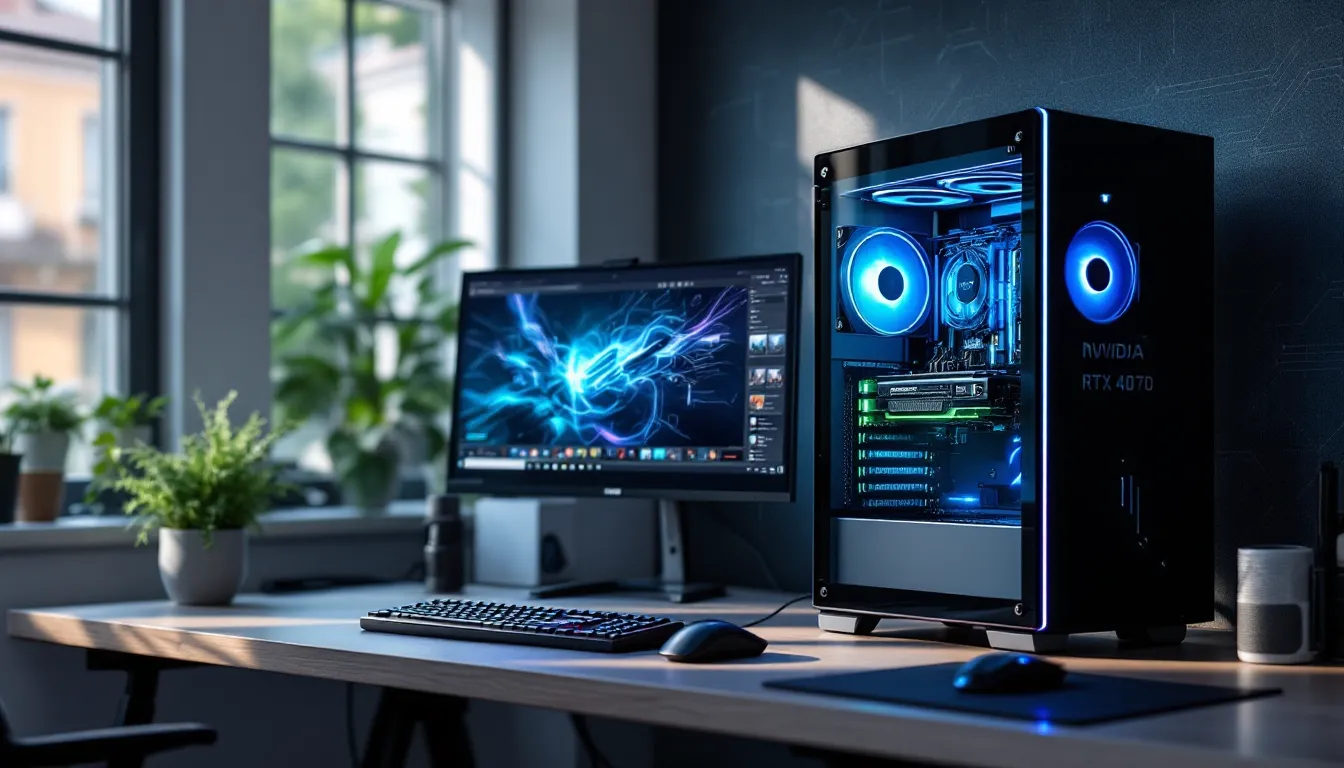
The RTX 4070 has quietly become one of the most compelling GPUs in NVIDIA’s lineup, sitting in that rare position where performance meets value without major compromises. Whether you’re upgrading from a 3060 Ti or building from scratch, pairing the right components with this card can unlock exceptional 1440p gaming and respectable 4K performance without emptying your wallet. In 2026, with ray tracing becoming standard and DLSS 3.5 maturing, the RTX 4070 is hitting its stride as the sweet spot for gamers who refuse to settle for mid-tier frame rates but aren’t ready to drop RTX 4090 money. This guide breaks down exactly how to build a gaming PC around the RTX 4070, from component selection to complete builds across three budget tiers.
Key Takeaways
- The RTX 4070 delivers exceptional 1440p gaming performance at 100+ FPS on ultra settings and handles 4K gaming with DLSS upscaling, making it the ideal balance of performance and value in 2026.
- A gaming PC RTX 4070 build requires pairing with a mid-range CPU like the Ryzen 7 7700X or i5-14600K, 32GB DDR5 RAM, and a quality 650W+ 80+ Gold PSU to avoid bottlenecks and system instability.
- Optimal 1440p gaming with the RTX 4070 pairs best with 165Hz-180Hz monitors, enabling the card to deliver smooth, high-refresh gameplay across both AAA and competitive titles.
- Ray tracing becomes practical with the RTX 4070 using DLSS 3.5 Frame Generation, achieving 60+ FPS at 1440p in demanding ray-traced titles like Cyberpunk 2077 and Alan Wake 2.
- Building your own RTX 4070 gaming PC costs 10-20% less than prebuilts while giving you full control over component selection, though prebuilts offer warranty convenience and faster setup.
- Future-proof your RTX 4070 build by investing in AM5 motherboards, 32GB RAM, quality cooling, and a reliable PSU—components that will support GPU upgrades and software improvements through 2028-2029.
Why the RTX 4070 Is the Sweet Spot for Gaming PCs in 2026
Performance Overview: What the RTX 4070 Can Handle
The RTX 4070 packs 5,888 CUDA cores and 12GB of GDDR6X memory, landing solidly above the 4060 Ti while staying significantly cheaper than the 4070 Ti. At 1440p, this card pushes well over 100 FPS in most AAA titles on ultra settings without ray tracing. Cyberpunk 2077 at 1440p ultra (no RT) averages around 95-105 FPS, while less demanding titles like Valorant or Apex Legends easily exceed 200 FPS.
Ray tracing is where the 4070 flexes its Ada Lovelace architecture. With DLSS 3.5 Frame Generation enabled, games like Alan Wake 2 and Spider-Man 2 maintain 60+ FPS at 1440p with ray tracing maxed out. The card handles 4K gaming reasonably well when paired with DLSS, though native 4K ultra will dip below 60 FPS in demanding titles.
Power draw sits around 200W TDP, making it far more efficient than previous-gen cards at similar performance levels. That efficiency translates to less heat, quieter fans, and lower electricity bills over time.
Value Proposition Compared to RTX 4060 Ti and RTX 4070 Ti
The RTX 4060 Ti (both 8GB and 16GB variants) struggles with bandwidth limitations thanks to its 128-bit memory bus. At 1440p, the performance gap between the 4060 Ti and 4070 widens dramatically, often 30-40% faster frame rates for the 4070. The 4060 Ti’s 8GB VRAM also becomes a bottleneck in texture-heavy games at higher settings.
The RTX 4070 Ti, meanwhile, offers about 15-20% better performance than the standard 4070 but commands a $200-250 premium. For most gamers targeting 1440p high-refresh gameplay, that price jump doesn’t justify the gains. The 4070 Ti makes more sense if you’re committed to 4K gaming or need that extra headroom for professional workloads like 3D rendering.
In 2026’s market, the RTX 4070 sits at roughly $549-599 for aftermarket models (down from its $599 MSRP at launch), while the 4070 Ti still hovers around $799-849. The $200+ difference buys you diminishing returns for 1440p gaming, making the 4070 the objectively smarter choice unless you have specific 4K requirements.
Essential Components to Pair with Your RTX 4070
CPU Selection: Best Processors for RTX 4070 Builds
CPU bottlenecking is real, but it’s often exaggerated. At 1440p and above, the RTX 4070 shifts more load to the GPU, meaning mid-range CPUs handle most scenarios just fine. That said, competitive gamers chasing maximum FPS at 1080p will want stronger single-core performance.
Best overall pairing: The AMD Ryzen 7 7700X ($299-329) offers 8 cores, 16 threads, and excellent single-core speeds. It handles 1440p gaming with zero bottlenecks and gives headroom for streaming or productivity tasks. Intel’s Core i5-14600K ($289-319) is equally strong, with its hybrid architecture delivering solid gaming performance and multi-threaded muscle.
Budget-conscious option: The Ryzen 5 7600X ($219-249) is a 6-core chip that punches above its weight in gaming scenarios. Pair it with the 4070 for 1440p gaming, and you’ll see negligible differences compared to pricier CPUs.
High-end option: If you’re also doing content creation or want maximum future-proofing, the Ryzen 9 7900X ($399-429) or Intel Core i7-14700K ($389-419) provide 12+ cores without GPU bottlenecks. Overkill for pure gaming, but useful if you multitask heavily.
Avoid older-gen CPUs like the Ryzen 5 5600X unless you’re reusing an existing AM4 board. The performance delta isn’t huge, but you’re leaving 10-15% FPS on the table in CPU-bound scenarios.
Motherboard and RAM Recommendations
Motherboard choice depends on your CPU platform. For AMD Ryzen 7000-series, you’ll need an AM5 socket board. The MSI PRO B650-P WiFi ($159-179) is a solid mid-range pick with PCIe 4.0, WiFi 6E, and enough expansion for most gamers. If you’re going Intel 14th-gen, the ASUS TUF Gaming B760-Plus WiFi D4 ($179-199) supports DDR4 for budget flexibility or DDR5 variants if you want the latest spec.
For RAM, 32GB DDR5-6000 is the current sweet spot. AMD’s Ryzen 7000 loves DDR5-6000 CL30 kits, which cost around $110-130 for 2x16GB. Intel systems are less picky but still benefit from DDR5-5600 or faster. If budget is tight, 16GB DDR5 works fine for gaming-only builds, but with modern titles creeping toward 12GB+ usage, 32GB gives breathing room for multitasking and future releases.
DDR4 is an option on select B760 Intel boards, saving $40-50 compared to DDR5. Performance difference at 1440p with the RTX 4070? Minimal, usually 3-5 FPS. If you’re budget-limited, DDR4-3600 CL16 32GB kits ($70-85) are still viable.
Power Supply Requirements and Cooling Solutions
The RTX 4070’s 200W TDP is refreshingly tame, but total system power draw matters. A balanced RTX 4070 build pulls 400-500W under full gaming load, depending on CPU choice and peripherals. 650W 80+ Gold PSUs are the minimum recommendation, offering headroom for power spikes and future upgrades.
Recommended units:
- Corsair RM650x (2023) ($99-109): Fully modular, quiet, and highly efficient.
- MSI MAG A650BN ($69-79): Budget pick, semi-modular, reliable.
- EVGA SuperNOVA 750 G7 ($109-119): Extra wattage headroom if you plan CPU or GPU upgrades.
Avoid no-name PSUs. Cheaping out here risks frying components or unstable power delivery causing crashes.
For cooling, the RTX 4070 itself runs cool with most aftermarket dual or triple-fan designs. The ASUS TUF Gaming RTX 4070, MSI Ventus 3X, and Gigabyte Gaming OC models all keep temps under 70°C during extended sessions with tolerable noise levels.
CPU cooling depends on your processor. The Ryzen 7 7700X and Intel i5-14600K benefit from a solid tower cooler like the Thermalright Peerless Assassin 120 SE ($35-40), which rivals AIO performance at a fraction of the cost. If you prefer liquid cooling for aesthetics or tighter cases, the Arctic Liquid Freezer II 240mm ($89-99) handles these CPUs without breaking a sweat.
Three Complete RTX 4070 Gaming PC Builds for Different Budgets
Budget-Friendly RTX 4070 Build ($1,200-$1,400)
This build prioritizes the GPU while keeping other components smart and cost-effective. It handles 1440p gaming with high settings across the board, with minimal compromises on quality or longevity.
Component List:
- GPU: RTX 4070 (MSI Ventus 3X or ASUS Dual) – $549-579
- CPU: AMD Ryzen 5 7600X – $219-239
- Motherboard: MSI PRO B650-P WiFi – $159-179
- RAM: 32GB DDR5-6000 CL30 (G.Skill Flare X5) – $110-125
- Storage: 1TB NVMe Gen4 SSD (WD Black SN770) – $79-89
- PSU: MSI MAG A650BN 650W 80+ Bronze – $69-79
- Case: Phanteks Eclipse G360A – $89-99
- CPU Cooler: Thermalright Peerless Assassin 120 SE – $35-40
Total: $1,309-$1,429
This setup delivers excellent 1440p performance without bloat. The Ryzen 5 7600X won’t bottleneck the 4070 at higher resolutions, and 32GB RAM ensures you’re not closing Discord or Chrome while gaming. The case offers solid airflow with mesh front panel, keeping thermals in check without premium pricing.
Mid-Range Balanced Build ($1,500-$1,800)
Step up to better peripherals, more storage, and a stronger CPU for smoother multitasking and competitive gaming edge.
Component List:
- GPU: RTX 4070 (ASUS TUF Gaming) – $599-619
- CPU: AMD Ryzen 7 7700X – $299-319
- Motherboard: ASUS TUF Gaming B650-Plus WiFi – $199-219
- RAM: 32GB DDR5-6000 CL30 (Corsair Vengeance) – $120-135
- Storage: 2TB NVMe Gen4 SSD (Samsung 990 Pro) – $159-179
- PSU: Corsair RM750x 750W 80+ Gold – $109-119
- Case: Lian Li Lancool 216 – $109-119
- CPU Cooler: Arctic Liquid Freezer II 240mm – $89-99
Total: $1,683-$1,808
The Ryzen 7 7700X adds meaningful performance for competitive titles and content creation workflows. You also get double the storage, a premium case with exceptional airflow, and a fully modular PSU that’s whisper-quiet under load. The ASUS TUF 4070 variant has better VRMs and cooling than base models, making optimizing gaming performance more effective with overclocking headroom.
Premium High-End Build ($2,000-$2,500)
This build is for gamers who want zero compromises, maximum aesthetics, and headroom for 4K gaming or productivity tasks alongside gaming.
Component List:
- GPU: RTX 4070 (Gigabyte Gaming OC or MSI Gaming X Trio) – $619-649
- CPU: Intel Core i7-14700K – $389-419
- Motherboard: ASUS ROG Strix Z790-A Gaming WiFi – $289-319
- RAM: 32GB DDR5-6400 CL32 (G.Skill Trident Z5 RGB) – $149-169
- Storage: 2TB NVMe Gen4 SSD (Samsung 990 Pro) + 2TB SATA SSD (Samsung 870 EVO) – $159-179 + $149-169
- PSU: EVGA SuperNOVA 850 G7 850W 80+ Gold – $129-149
- Case: Fractal Design Torrent Compact RGB – $169-189
- CPU Cooler: NZXT Kraken 280mm RGB AIO – $149-169
- Extra: 3x RGB case fans (Lian Li UNI Fan SL) – $69-89
Total: $2,270-$2,529
The i7-14700K’s hybrid architecture excels in mixed workloads, and the Z790 chipset unlocks full overclocking potential. Four terabytes of storage means room for your entire game library without juggling installs. The Fractal Torrent Compact focuses on airflow-first design with massive 180mm front fans, keeping everything cool and quiet even during marathon sessions. RGB lighting across the AIO, RAM, and case fans ties the aesthetic together for a premium setup.
RTX 4070 Gaming Performance Benchmarks Across Popular Titles
1440p Gaming: Frame Rates and Settings
The RTX 4070 dominates 1440p gaming. Across a wide range of titles tested by Tom’s Hardware, the card consistently pushes triple-digit frame rates on ultra presets.
AAA titles at 1440p Ultra (no RT):
- Cyberpunk 2077: 95-105 FPS
- Starfield: 80-90 FPS
- Call of Duty: Modern Warfare III: 140-160 FPS
- Hogwarts Legacy: 85-95 FPS
- Red Dead Redemption 2: 90-100 FPS
- Forza Motorsport (2023): 110-130 FPS
Competitive/esports at 1440p High:
- Valorant: 300+ FPS
- Apex Legends: 200-240 FPS
- Overwatch 2: 250-300 FPS
- Fortnite: 180-220 FPS
These numbers assume a balanced CPU pairing (Ryzen 7 7700X or i5-14600K equivalent). Weaker CPUs will bottleneck esports titles at 1440p, especially if you’re running high-refresh monitors.
For most gamers, 1440p is where the RTX 4070 shines brightest. High-refresh monitors (144Hz-165Hz) pair perfectly with this card, delivering smooth gameplay without needing to compromise visual fidelity.
4K Gaming Capabilities and Limitations
The RTX 4070 handles 4K gaming, but with caveats. Native 4K ultra settings in demanding titles will drop below 60 FPS frequently. But, DLSS changes the equation entirely.
4K Native Ultra (no upscaling):
- Cyberpunk 2077: 45-55 FPS
- Starfield: 40-50 FPS
- Hogwarts Legacy: 42-52 FPS
- Forza Horizon 5: 65-75 FPS
4K with DLSS Quality:
- Cyberpunk 2077: 75-85 FPS
- Starfield (FSR 2): 60-70 FPS
- Hogwarts Legacy: 65-75 FPS
- Spider-Man Remastered: 80-90 FPS
DLSS Quality mode renders at lower internal resolution (roughly 1440p) and upscales to 4K using AI. The visual difference is minimal, and the performance gain is massive. If you’re gaming at 4K with the RTX 4070, DLSS isn’t optional, it’s mandatory.
The card’s 12GB VRAM is adequate for 4K gaming in most titles, though a few outliers (heavily modded games, ultra texture packs) can push against that ceiling. Overall, the 4070 is best viewed as a strong 1440p card with competent 4K capabilities when paired with upscaling tech.
Ray Tracing and DLSS 3.5 Performance
Ray tracing used to be a luxury reserved for flagship GPUs, but the RTX 4070’s third-gen RT cores make it genuinely playable. DLSS 3.5 adds Frame Generation and Ray Reconstruction, which dramatically improve both performance and image quality in supported titles.
1440p with Ray Tracing + DLSS 3.5:
- Cyberpunk 2077 (RT Overdrive + DLSS FG): 90-110 FPS
- Portal RTX: 55-65 FPS (DLSS Performance + FG)
- Alan Wake 2 (High RT + DLSS Quality): 65-75 FPS
- Spider-Man 2 (RT High + DLSS Balanced): 80-95 FPS
Frame Generation is controversial in competitive circles due to input latency concerns, but for single-player AAA experiences, it’s transformative. Testing from TechSpot shows that DLSS 3.5 Frame Generation adds roughly 10-15ms input lag compared to native rendering, which is imperceptible in story-driven games but noticeable in fast-paced shooters.
Ray Reconstruction improves denoising quality, making ray-traced reflections and shadows look cleaner with fewer artifacts. In titles like Cyberpunk 2077 and Alan Wake 2, the visual upgrade is immediately noticeable compared to DLSS 2.
Bottom line: The RTX 4070 makes ray tracing practical at 1440p. Just enable DLSS and enjoy visuals that weren’t possible on previous-gen cards at this price point.
Optimizing Your RTX 4070 Gaming PC for Maximum Performance
Display Selection: Monitors That Match the RTX 4070
Pairing the right monitor with your RTX 4070 unlocks its full potential. Mismatched specs, like a 60Hz 4K monitor or a 1080p 240Hz panel, leave performance on the table.
Best overall: 1440p 165Hz-180Hz monitors hit the sweet spot. The Dell S2721DGF (1440p, 165Hz, IPS, $299-349) and Gigabyte M27Q X (1440p, 240Hz, IPS, $399-449) are top picks. The 4070 pushes 144+ FPS consistently at 1440p, so high-refresh panels feel smooth in both AAA and competitive titles.
Budget option: 1440p 144Hz monitors like the AOC Q27G3XMN ($229-259) or MSI MAG274QRF-QD ($279-309) sacrifice some refresh rate but still deliver excellent gaming experiences.
4K option: If you’re committed to 4K, grab a LG 27GP950-B (4K, 144Hz, Nano IPS, $699-749) or ASUS TUF Gaming VG28UQL1A (4K, 144Hz, IPS, $549-599). These panels support HDMI 2.1 and DisplayPort 1.4, handling the 4070’s 4K output with DLSS enabled.
Panel type matters less than it used to. Modern IPS panels offer 1ms response times with minimal ghosting, while VA panels provide deeper blacks at slightly slower response. Avoid TN panels unless you’re a hardcore esports player prioritizing response time above all else.
G-Sync compatibility is non-negotiable. Screen tearing below 144 FPS is jarring, and the RTX 4070 supports both G-Sync and FreeSync, so ensure your monitor does too.
Software and Driver Optimization Tips
Hardware is half the equation. Driver settings and Windows optimizations can net you 5-15% performance gains without spending a dime.
NVIDIA Control Panel tweaks:
- Set Power Management Mode to “Prefer Maximum Performance” under 3D Settings. This prevents the GPU from downclocking during gaming.
- Enable Low Latency Mode (Ultra) for competitive titles. It reduces input lag by 5-10ms.
- Disable Vertical Sync globally. Let G-Sync handle frame pacing instead.
- Set Texture Filtering Quality to “High Performance” for marginal FPS gains with minimal visual impact.
Windows optimizations:
- Enable Game Mode in Windows settings. It prioritizes CPU resources for games and disables background tasks.
- Disable Hardware-Accelerated GPU Scheduling if you experience stuttering. Some games benefit, others don’t, test both.
- Set your power plan to High Performance or create a custom plan that disables CPU parking.
Driver updates: NVIDIA releases Game Ready drivers for major launches, often adding 5-10% performance in new titles. Keep drivers updated, but avoid beta drivers unless you’re troubleshooting specific issues. Rolling back one version is sometimes necessary if a new driver introduces instability.
Overclocking: The RTX 4070 has modest OC headroom, usually +100-150 MHz core and +500-700 MHz memory. MSI Afterburner is the standard tool. A mild overclock nets 3-5% FPS gains without meaningful temperature increases. Push harder, and you risk instability for marginal returns. For detailed tweaking strategies, gaming laptop optimization guides that cover similar principles.
Common Mistakes to Avoid When Building an RTX 4070 Gaming PC
Skimping on the PSU: Builders often allocate maximum budget to GPU and CPU, leaving $50 for a sketchy PSU. A failing PSU can fry your entire system. Spend $100+ on a reputable 80+ Gold unit from Corsair, EVGA, or Seasonic.
Pairing with an outdated CPU: Dropping an RTX 4070 into an old system with a Ryzen 5 2600 or Intel i5-9400F creates massive CPU bottlenecks. At 1080p, you’ll lose 30-40% of the GPU’s potential. If you’re upgrading an older rig, budget for a CPU and motherboard refresh too.
Ignoring case airflow: Cramming high-end components into a closed-front case with a single exhaust fan is a recipe for thermal throttling. The RTX 4070 stays cool, but pairing it with a hot-running CPU in poor airflow conditions raises ambient case temps. Stick to mesh-front cases with at least two intake fans.
Buying single-channel RAM: Installing one 16GB stick instead of two 8GB sticks cuts memory bandwidth in half. Performance drops 10-15% in CPU-bound scenarios. Always run dual-channel (2 sticks) or quad-channel if your platform supports it.
Overlooking motherboard connectivity: Budget boards often lack sufficient fan headers, M.2 slots, or USB ports. If you plan to add extra storage, RGB controllers, or multiple fans, verify your motherboard has enough headers. Running splitters everywhere is frustrating and messy.
Forgetting about storage speed for modern games: DirectStorage API in newer titles benefits from fast NVMe SSDs. Installing games on a slow SATA SSD or mechanical HDD increases load times and can introduce stuttering in open-world games. Invest in at least one Gen3 or Gen4 NVMe drive for your primary game storage.
Not testing before closing the case: Builders eager to finish often install everything, close the case, and then discover the system won’t POST. Assemble components outside the case first, verify POST and BIOS detection, then transfer to the case. Saves hours of troubleshooting.
Ignoring BIOS updates: Running outdated BIOS can cause RAM instability, boot issues, or prevent CPU detection entirely. Update BIOS before installing the CPU if you’re running newer Ryzen 7000 or Intel 14th-gen chips on older motherboard revisions.
Should You Buy Prebuilt or Build Your Own RTX 4070 PC?
Building your own: Offers maximum control, better component selection, and usually 10-20% cost savings. You pick the exact PSU, case, and RAM, no proprietary nonsense or cheap OEM parts. Building also teaches you system maintenance and troubleshooting, making future upgrades easier.
The downside is time and potential headaches. First-time builders should budget 3-5 hours for assembly and OS installation. Troubleshooting boot failures or driver issues can add frustration, though online communities and YouTube guides make the process far easier than it was a decade ago.
Buying prebuilt: Saves time and includes a full-system warranty. If something fails, you ship the whole PC back instead of diagnosing which component died. Retailers like NZXT BLD, Maingear, and iBuyPower offer RTX 4070 configurations with decent specs.
The catch? Prebuilts often cut corners on PSUs, RAM speed, and cooling. A $1,600 prebuilt might have an RTX 4070 and Ryzen 7 7700X but pair them with a 500W bronze PSU, single-channel RAM, and a closed-front case with poor airflow. Analysis from Hardware Times shows that prebuilts typically include components 15-25% cheaper than their DIY equivalents at the same price point.
Middle ground: Some retailers let you customize prebuilts. NZXT BLD, for example, allows component selection with transparent pricing. You pay a $100-150 build fee but avoid the cheap OEM parts plague. This works well for builders who want control without the assembly hassle.
Bottom line: If you value hands-on control and want maximum performance per dollar, build your own. If time is limited or you prefer warranty simplicity, buy prebuilt but scrutinize component specs carefully. Avoid big-box store prebuilts (Dell, HP consumer lines) that lock you into proprietary boards and PSUs.
Future-Proofing Your RTX 4070 Build for 2026 and Beyond
“Future-proofing” is marketing fluff, but smart planning extends your build’s relevance. The RTX 4070 should handle 1440p gaming comfortably through 2028-2029, assuming you’re okay with dropping settings from ultra to high as new titles push visual boundaries.
Prioritize upgradeable components: Go with AM5 motherboards if you’re building AMD. AM5 is promised support through 2025+, meaning you can drop in next-gen Ryzen chips without replacing the board. Intel’s socket compatibility is historically shorter, but Z790 boards will support 15th-gen chips via BIOS updates.
32GB RAM is the new baseline: Games are creeping toward 16GB+ usage, and Windows eats 4-6GB idling. 32GB ensures you won’t need to upgrade RAM for 3-4 years. DDR5-6000 or faster also gives headroom for future CPU generations that better leverage higher speeds.
Gen4 NVMe is sufficient: Don’t overpay for Gen5 SSDs. Current games see zero benefit from Gen5 speeds, and Gen4 drives like the Samsung 990 Pro or WD Black SN850X are plenty fast. Save that budget for GPU upgrades down the line.
Case and PSU longevity: A quality case with solid airflow lasts 8-10 years across multiple builds. Same with PSUs, a 750W Gold unit handles future GPU upgrades unless you jump to flagship-tier cards. Cheaping out here means replacing them sooner.
Monitor matters more than GPU cycles: A great 1440p 165Hz monitor lasts longer than any GPU. Upgrading from an RTX 4070 to a 5070 or 6070 three years from now makes sense only if your monitor can take advantage of the extra frames. If you’re still on 1080p 60Hz, upgrading the display first yields bigger quality-of-life improvements.
Skip incremental GPU upgrades: The RTX 4070 is strong enough that upgrading to a 4080 or 5070 won’t feel transformative unless you jump to 4K gaming. Wait for a generational leap, two GPU gens minimum, before considering replacement. Selling your 4070 in 2028 and upgrading to whatever’s mid-range then makes more financial sense than chasing yearly releases.
DLSS longevity: NVIDIA’s commitment to DLSS means the 4070 will benefit from future software updates. DLSS 3.5 Frame Generation already extends the card’s lifespan by 2-3 years compared to non-DLSS GPUs. As developers adopt DLSS more broadly, even demanding 2028 titles should run well with upscaling enabled.
Conclusion
The RTX 4070 occupies that rare space where compromises feel minimal and value feels tangible. Whether you’re building a $1,300 budget rig or going all-in on a $2,500 premium setup, this GPU delivers 1440p high-refresh performance without demanding flagship-tier spending. Pair it with a balanced CPU, invest in proper cooling and power delivery, and you’ll have a system that handles today’s games with headroom for tomorrow’s releases. The key is avoiding common pitfalls, cheap PSUs, poor airflow, mismatched monitors, that undermine the card’s potential. Build smart, and the RTX 4070 will keep you gaming comfortably for years.