
Walk into any esports facility or peek at the setups of top-tier streamers, and you’ll notice a trend: fewer neon racing-style chairs, more minimalist office seating. Steelcase, a brand with zero gaming branding and decades of ergonomic R&D, has quietly become the choice for players who log 8+ hour sessions and actually care about what their spine feels like at 30.
Traditional gaming chairs promised comfort but often delivered lower back pain and sweaty leatherette. Steelcase chairs, originally engineered for corporate environments, bring medical-grade lumbar support, breathable materials, and adjustability that actually matters. They’re pricier, sure, but for gamers treating their setup like a long-term investment, the question isn’t whether a Steelcase chair works for gaming, it’s which model fits your needs and budget.
This guide breaks down the top Steelcase models for gaming in 2026, compares them to typical gaming chairs, and walks through setup and optimization so you get every advantage from your investment.
Key Takeaways
- Steelcase gaming chairs outperform traditional gaming chairs by offering medical-grade lumbar support, breathable materials, and adjustability engineered from decades of ergonomic research rather than racing-seat aesthetics.
- The Steelcase Gesture provides the best all-around value with 3D LiveBack technology and five-dimensional armrest adjustments, making it ideal for gamers switching between intense sessions and casual play.
- Steelcase chairs cost more upfront ($600–$1,200) but deliver superior long-term value, with 12-year warranties and durability that outlasts three budget gaming chair replacements over the same period.
- Proper setup takes just 10–15 minutes, and optimization involves adjusting armrests for your gaming style (PC vs. console), recline tension for competitive focus, and seat depth to accommodate your body type.
- For gamers logging 20+ hours weekly or with existing posture issues, the Steelcase gaming chair investment pays off at approximately 5 cents per hour of use over ten years, compared to 7 cents for repeatedly replacing cheaper alternatives.
Why Gamers Are Turning to Steelcase Office Chairs
The shift from branded gaming chairs to office ergonomics isn’t just a trend, it’s a response to real problems. Gaming chairs were designed to look like racing seats, but most lack the adjustability and support needed for marathon sessions.
Steelcase chairs approach seating differently. They’re built from research on posture, circulation, and repetitive stress injuries, concerns that apply whether you’re crunching spreadsheets or grinding ranked. The LiveBack technology in models like the Gesture and Leap mimics spinal movement, adjusting dynamically as you shift positions. That matters when you’re leaning forward for clutch plays, then reclining between rounds.
Another factor: durability. Gaming chairs often use PU leather that flakes within two years and foam that compresses into pancake flatness. Steelcase models carry 12-year warranties and use materials tested for commercial use. You’re paying more upfront, but the cost-per-year drops significantly when the chair outlasts three budget replacements.
Pros have caught on. Many competitive players and content creators now use Steelcase chairs off-camera because they reduce fatigue during long practice blocks. When your career depends on consistency across 10-hour days, ergonomics stop being optional.
The Steelcase Gesture: Top Pick for Long Gaming Sessions
Ergonomic Features Built for Gamers
The Steelcase Gesture is the all-arounder, designed to support multiple postures, exactly what gamers need when switching between leaning into intense firefights and reclining during cutscenes or queue times.
Its standout feature is the 3D LiveBack, which adjusts to your spine’s natural curve across the entire backrest. Unlike fixed lumbar supports that hit one spot, the Gesture’s back flexes with you. Lean left to peek a corner? The chair moves with you. Recline 20 degrees during a loading screen? Support stays consistent.
The seat cushion uses high-density foam with a waterfall edge that reduces pressure on your thighs. Poor circulation from seat pressure causes that numb-leg feeling during long raids, the Gesture’s design minimizes it.
Breathability matters too. The 4D knit back option (an upgrade from the standard upholstery) allows airflow, which is critical during summer or in rooms without AC. Gaming chairs with thick padding and fake leather turn into sweat traps: the Gesture’s mesh stays cool.
Adjustability and Customization Options
The Gesture offers five adjustable dimensions on the armrests alone: height, width, depth, pivot, and horizontal shift. For PC gamers, this means perfect elbow positioning whether you’re using a low-sens setup with a huge mousepad or playing MMOs with your keyboard at an angle.
Console players benefit too, you can swing the armrests outward for controller grip, eliminating the awkward hover when armrests block your wrists. Many gaming setup tutorials recommend adjustable armrests as a key factor in reducing wrist strain, and the Gesture delivers the most granular control in its price range.
Seat depth adjustment (up to 5 inches of range) accommodates different body types. Shorter players can pull the seat forward so their feet rest flat: taller gamers can slide it back to support their full thigh length. Recline tension adjusts via a dial under the seat, set it looser for casual sessions, firmer for competitive focus.
One quirk: all these adjustments can be overwhelming at first. Budget 20 minutes to dial in your settings properly. It’s not plug-and-play like a gaming chair with three levers.
Durability and Build Quality
Steelcase builds the Gesture on a metal frame with a reinforced base, rated for 24/7 use in corporate environments. The casters are hard-floor rated by default (soft casters for carpet cost extra), and they glide smoothly without the grinding noise cheap wheels develop.
The upholstery options range from basic fabric (the most breathable) to leather (the easiest to clean but least cool). For gaming, the Cogent Connect fabric hits the sweet spot, stain-resistant, durable, and breathable enough to not feel like sitting on a radiator.
Steelcase’s 12-year warranty covers everything: mechanisms, pneumatic cylinder, even the foam. Compare that to the 1-2 year coverage on most gaming chairs. If something breaks, Steelcase has service centers across the US, and replacement parts are available for older models. You won’t be tossing the chair in a landfill because one lever snapped.
The weight limit is 400 pounds, higher than many gaming chairs that quietly fail around 250. Build quality shows in the details, no wobble in the armrests, no creak when you shift weight, no loose bolts after six months.
Steelcase Leap: Premium Lumbar Support for Competitive Players
Advanced Back Support Technology
The Steelcase Leap is the chair for players who’ve already experienced back pain and refuse to let it tank their performance. It’s built around the Natural Glide System, which changes the seat angle as you recline, your hips shift forward slightly, mimicking natural spine movement and keeping your eyes aligned with your monitor.
Traditional chairs tilt you backward in a fixed arc, forcing you to crane your neck forward to see the screen. The Leap’s system keeps your posture neutral even at a 20-degree recline, which matters during breaks when you want to relax without losing sight of your queue pop or lobby timer.
The lower back firmness adjustment is a game-changer. A dial on the right side of the seat increases or decreases lumbar pressure. If you’ve got existing lower back issues (common in players who’ve spent years in bad chairs), you can crank up support. If your back is fine and you prefer a softer feel, dial it down. It’s infinitely adjustable, not just a few notches.
Seat Depth and Height Adjustments
Seat depth on the Leap adjusts up to 5 inches, same as the Gesture, but the Leap’s seat cushion is slightly firmer, some prefer this for maintaining posture during competitive play, others find the Gesture’s softer foam more comfortable for all-day use. It’s a preference call.
Height adjustment uses a pneumatic cylinder rated for 50,000+ cycles. Cheaper chairs start sinking after a year: the Leap’s cylinder stays locked. The range accommodates desks from 26 to 30 inches high (standard gaming desk height), and the seat goes low enough for shorter players without their feet dangling.
One downside: the Leap’s armrests are less adjustable than the Gesture’s. They move in four dimensions (height, width, depth, pivot) instead of five. The missing horizontal shift isn’t a dealbreaker for most, but if you need armrests that slide forward or backward independent of seat depth, the Gesture wins.
The Leap also uses the LiveBack technology, though it’s a different implementation than the Gesture’s 3D version. The backrest mimics your spine’s movement but doesn’t flex as dynamically. For gaming, both work well, the Leap just leans toward players who prioritize lumbar support over multi-posture flexibility.
Steelcase Series 2: Budget-Friendly Performance Chair
Value Proposition for Entry-Level Gamers
The Steelcase Series 2 is what happens when Steelcase tries to compete on price without gutting features. It starts around $600-$700 (vs. $1,000+ for the Gesture and Leap), making it the entry point for gamers who want Steelcase quality but can’t justify four figures on a chair.
You’re getting the LiveBack system (though a simplified version), adjustable lumbar support via a dial, and the same 12-year warranty. The build quality matches the pricier models, metal frame, durable upholstery options, smooth casters. The savings come from fewer adjustments and slightly less padding.
The Series 2 works well for players under 6 feet tall who don’t need extreme customization. If you’re the type who sets your chair once and forgets about it, the reduced adjustability won’t bug you. If you’re constantly tweaking settings between games, you’ll miss the Gesture’s granularity.
Breathability is solid, the Air back option uses a mesh material similar to higher-end models. For gaming in warm climates or poorly ventilated rooms, this is huge. The fabric seat options are comfortable enough for 4-6 hour sessions without pressure points.
Feature Comparison to Premium Models
Here’s where the Series 2 cuts corners:
- Armrests: Height and width adjustable only. No pivot, no depth shift. For PC gamers who need precise arm positioning, this is the biggest compromise.
- Recline range: 90-115 degrees vs. 90-135 on the Leap. You lose the deep recline for full relaxation between matches.
- Seat cushion: Thinner foam, though still higher quality than budget gaming chairs. Long-term comfort (8+ hours) doesn’t match the Gesture.
- Weight limit: 300 pounds vs. 400 on premium models.
What you don’t lose: lumbar support quality, build durability, or warranty coverage. The Series 2 is a genuine Steelcase chair, not a cheap spinoff with the logo slapped on.
For gamers upgrading from a $200 gaming chair, the Series 2 feels like a massive leap (pun intended). For those considering a premium model, it’s worth saving another $300-$400 if you game more than 20 hours a week. The comfort difference compounds over time.
Steelcase vs. Traditional Gaming Chairs: What’s the Difference?
Design Philosophy and Aesthetics
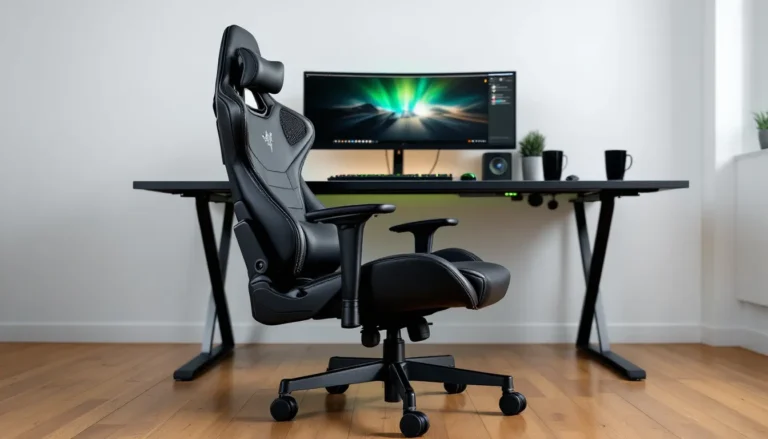
Gaming chairs scream gamer, RGB compatibility, bucket seats, contrast stitching, brand logos everywhere. Steelcase chairs look like they belong in a law office, and that’s intentional. They’re designed to be invisible, blending into any setup.
If your gaming space doubles as a home office or you stream and want a professional look, Steelcase’s neutral aesthetic works. If you’ve built a battlestation with RGB everything and want your chair to match, the Steelcase vibe might feel off-brand. No judgment either way, just know what you’re getting.
The bucket-seat design in gaming chairs (inherited from racing seats) looks cool but serves no function. You’re not cornering at 100 mph: you don’t need side bolsters. Those bolsters actually restrict movement, bad when you’re leaning to check a flank or stretching between matches. Steelcase chairs use open, flat seat designs that let you shift freely.
Ergonomics vs. Gaming Branding
Gaming chairs prioritize brand identity over biomechanics. Most use a fixed lumbar pillow that hits the wrong spot for half of users. Steelcase chairs use integrated, adjustable lumbar systems engineered from decades of ergonomic research.
The recline mechanisms differ too. Gaming chairs often lock at fixed angles (90, 120, 135 degrees). Steelcase chairs use continuous recline with adjustable tension. You can stop at any angle and adjust how much resistance you feel. It’s smoother and more intuitive.
Armrest quality is night-and-day. Budget gaming chairs use plastic armrests with three positions that never quite line up. Steelcase armrests glide on metal rails with rubberized tops that don’t slip. Many professional players who’ve switched to office chairs cite armrests as a major factor, pro player settings often include chair specs now, and Steelcase models appear frequently.
Long-Term Health Benefits
This is where the price difference justifies itself. Gaming chairs won’t wreck your back overnight, but they don’t actively support spinal health. Steelcase chairs are designed to reduce long-term risk of:
- Chronic lower back pain from poor lumbar support
- Neck strain from forward head posture (common when screens are positioned wrong)
- Circulation issues from seat pressure and poor thigh support
- Shoulder tension from armrests that force awkward angles
If you’re in your teens or early twenties, you might not feel the difference yet. But ask any gamer over 30 who spent their twenties in a cheap chair, they’ll tell you ergonomics matter. Steelcase chairs aren’t magic, but they’re built around reducing cumulative damage.
One study referenced in various technology reviews found that users of ergonomic office chairs reported 30% less back discomfort over six months compared to standard seating. The investment pays off in fewer physio visits and sustained performance as you age.
Setup and Assembly Guide for Your Steelcase Chair
Steelcase chairs ship mostly assembled, a huge advantage over flat-pack gaming chairs that require 45 minutes and a hex key. Here’s the typical process:
Unboxing: The chair arrives in two main pieces, the base (with wheels and cylinder already attached) and the seat/back unit. Remove all packaging and lay out hardware.
Attaching the seat: Flip the seat unit upside down. The base cylinder slides into the receptacle under the seat. Align the holes and insert the bolt (usually hand-tightened first, then with the included Allen wrench). Some models use a clip mechanism, just push until you hear a click.
Installing armrests (if shipped separately): Most Steelcase chairs have armrests pre-attached, but if yours came off for shipping, they mount with four bolts per side. Use the provided Allen wrench, tighten in a star pattern to keep things even.
Headrest (optional, not standard): If you ordered the aftermarket headrest accessory, it clamps onto the backrest with a U-bracket. Follow the included instructions, positioning varies by model.
Flipping upright: Carefully turn the chair over. Don’t drag it, lift to avoid scratching your floor or damaging casters.
Testing: Sit down and test every adjustment. Make sure the cylinder locks at different heights, armrests move smoothly, recline engages properly. If anything feels stuck or loose, check the bolts.
Total time: 10-15 minutes for most models. The Gesture and Leap arrive nearly ready to use. The Series 2 might require armrest attachment.
Pro tip: Keep the Allen wrench. You’ll need it to adjust recline tension and occasionally tighten bolts after a few months of use.
Optimizing Your Chair Settings for Gaming
Armrest Positioning for PC and Console Gaming
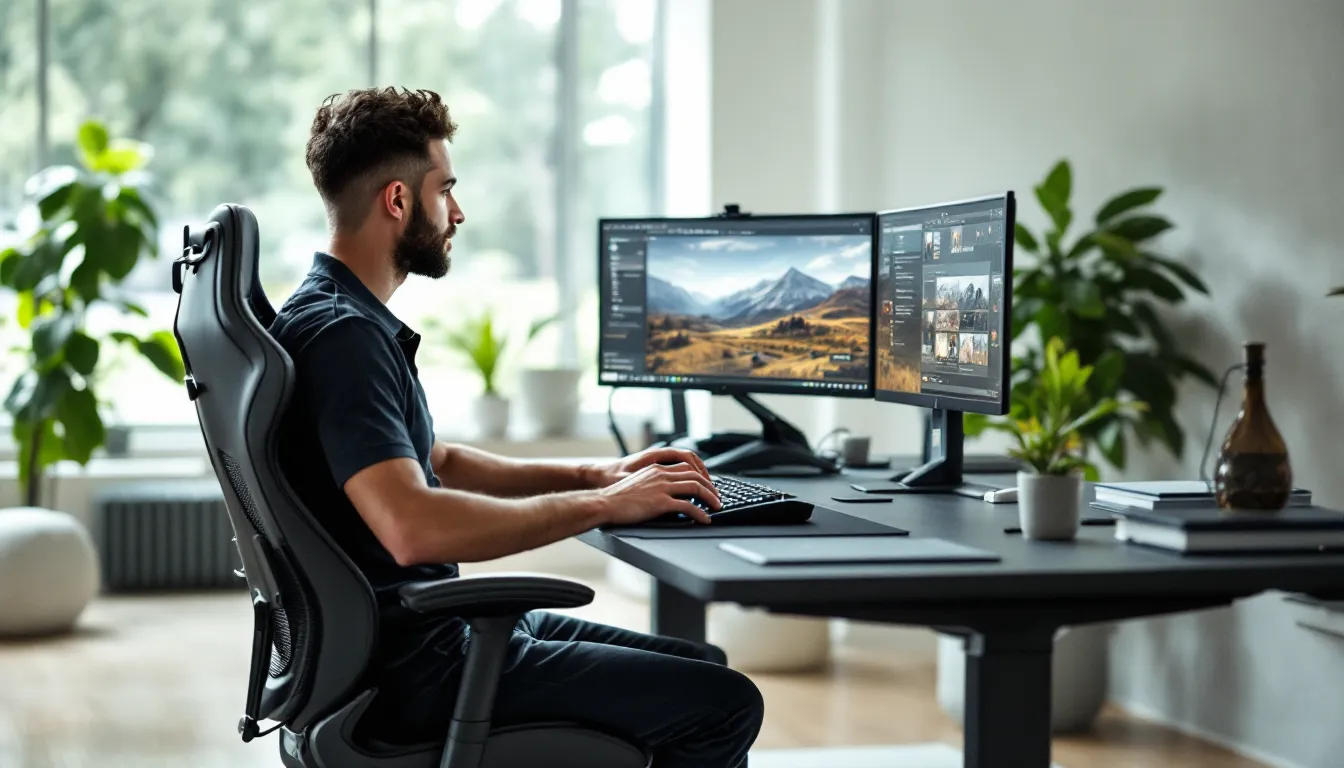
For PC gaming, set armrest height so your elbows rest at a 90-degree angle when your hands are on the keyboard and mouse. Your shoulders should be relaxed, not hunched up or sagging down. If you’re a low-sens FPS player who makes sweeping mouse movements, lower the armrests or swing them outward so they don’t block your range of motion.
Adjust armrest width so they support your elbows without forcing your arms inward. Too narrow and you’ll hunch: too wide and you lose support. The Gesture’s width adjustment makes this easy, start narrow and widen incrementally until it feels natural.
For console gaming, you’ll likely want armrests lower and wider to accommodate controller grip. Most players hold controllers with elbows slightly away from their body. Set the armrests to lightly support your forearms without restricting movement. The pivot adjustment (on the Gesture) lets you angle armrests inward, which works well for gamepad posture.
Fighting game and racing sim players: You might prefer armrests all the way down or removed entirely. Stick and wheel setups demand freedom of movement. Steelcase armrests are removable on most models, unscrew the four bolts and store them.
Finding Your Perfect Recline Angle
Competitive sessions: Keep recline minimal, around 95-100 degrees. A slight backward tilt reduces lower back pressure without tilting your monitor out of optimal viewing angle. Tighten the recline tension so the chair stays locked during intense moments, you don’t want to tip back mid-clutch.
Casual play or story games: Recline to 110-120 degrees. The Leap and Gesture support this range while keeping your spine aligned. Adjust tension looser so you can rock gently, it’s more comfortable during cutscenes or low-stakes exploration.
Breaks between matches: Use the full recline range (up to 135 degrees on premium models) to stretch your spine. Lock it at max recline, put your hands behind your head, and breathe. Even 60 seconds of this between rounds reduces cumulative fatigue.
Seat tilt: Some models have forward tilt options. Experiment with a slight forward tilt (2-3 degrees) if you tend to perch on the edge of your seat during clutch moments. It encourages active posture without forcing you upright.
Don’t set-and-forget. Tweak settings based on what you’re playing. A 12-hour open-world session needs different support than a 3-hour ranked grind.
Maintaining Your Steelcase Chair for Maximum Lifespan
Steelcase chairs are built to last, but basic maintenance keeps them running smoothly for the full 12-year warranty period (and beyond).
Cleaning the upholstery: For fabric models, vacuum with an upholstery brush attachment every few weeks to prevent dust buildup. Spot-clean spills immediately with mild soap and water, blot, don’t rub. For tougher stains, Steelcase sells specific fabric cleaners matched to their materials. Leather models just need a damp cloth wipe-down: avoid harsh chemicals that dry out the material.
Caster maintenance: Hair and dust wrap around caster axles, causing them to stick or scrape floors. Every few months, flip the chair and pull each wheel off (they pop out with a firm tug). Remove debris, wipe the axle with a dry cloth, and pop the wheel back on. If you’ve switched from carpet to hard floors (or vice versa), swap to appropriate casters, Steelcase sells replacements for about $30/set.
Lubricating moving parts: The recline mechanism and armrest joints might develop slight squeaks after heavy use. A tiny amount of silicone spray lubricant (available at any hardware store) on pivot points eliminates noise. Don’t use WD-40, it attracts dust.
Tightening bolts: After the first month and every six months after, grab the Allen wrench and check all bolts. Armrest bolts, seat attachment bolts, and backrest bolts can loosen from repeated adjustment. Tighten snugly, but don’t overtorque, you’ll strip the threads.
Pneumatic cylinder care: If the chair starts slowly sinking during use, the cylinder’s seal is failing. This is covered under warranty. Contact Steelcase support, they’ll send a replacement cylinder and instructions (it’s a 10-minute swap).
Avoiding damage: Don’t exceed the weight limit. Don’t use the chair as a step stool. Don’t leave it in direct sunlight for months (fabric fades, plastic yellows). Common sense goes a long way.
With minimal upkeep, a Steelcase chair will outlast multiple gaming setups. Some users report 15+ years on a single chair with zero major repairs.
Is a Steelcase Chair Worth It for Gamers?
The blunt answer: it depends on how much you game and how much you value long-term comfort.
You should buy a Steelcase chair if:
- You game 20+ hours a week (or work from home and game, totaling 40+ hours in the chair)
- You’ve experienced back, neck, or shoulder pain from your current chair
- You’re over 25 and starting to notice posture issues
- You want a chair that lasts a decade, not two years
- You value aesthetics that don’t scream “gamer” (useful for shared spaces or dual-purpose setups)
- You’re willing to spend time dialing in adjustments for a perfect fit
You can skip the Steelcase if:
- You game casually (under 10 hours a week) and don’t have pain issues
- Your budget maxes out around $300, at that price, a mid-range gaming chair or used office chair makes more sense
- You move frequently and don’t want to haul a 50-pound chair
- You genuinely prefer the racing-seat aesthetic and it doesn’t bother you physically
- You’re under 20 with no existing posture problems (though building good habits now prevents issues later)
The cost-per-hour-of-use math favors Steelcase for heavy users. A $1,200 Gesture used 6 hours a day for 10 years costs about 5 cents per hour. A $300 gaming chair replaced every 2 years costs 7 cents per hour, and that’s not counting the comfort and health differences.
For competitive players, streamers, or anyone treating gaming as more than a weekend hobby, the investment makes sense. For casual players, it’s overkill. There’s no shame in admitting a $400 mid-tier option fits your needs better.
One final consideration: resale value. Used Steelcase chairs hold 40-60% of their original price on secondhand markets. Gaming chairs drop to 20-30%. If your needs change, you can recoup a chunk of the cost.
Conclusion
Steelcase chairs aren’t marketed to gamers, but they solve problems gaming chairs ignore. The Gesture delivers unmatched adjustability for players who shift between postures. The Leap targets those with lumbar issues who refuse to compromise performance for pain management. The Series 2 brings Steelcase quality to a (relatively) accessible price point.
The switch from a gaming chair to an office ergonomic chair isn’t about rejecting gaming culture, it’s about prioritizing function over branding. Your spine doesn’t care about RGB lighting or racing stripes. It cares about support, adjustability, and materials that don’t turn into a sweat lodge after two hours.
If you’re on the fence, try one. Steelcase has a network of authorized dealers where you can test chairs before buying. Sit in a Gesture for 20 minutes, adjust everything, and compare it to your current setup. The difference should be immediately obvious, if it’s not, save your money.
For those ready to invest, you’re buying a decade of better posture, fewer breaks due to discomfort, and a chair that won’t fall apart when you need it most. That’s worth more than any marketing gimmick.